

Yes, I built an always-on AI personal assistant for our family and named it Jarvis. Feel free to pause here to roll your eyes at my creative brilliance.
Jarvis is a multi-user AI personal assistant designed to serve our family needs. It does not handle any business or commercial tasks for us, nor is that in future plans. My goal for Jarvis is an AI personal assistant that makes our lives better by reducing everyday noise and clutter.
In this post I’m going to share the backstory of why I started this project, its evolution and where I expect it to go from here. This is a personal project, with no affiliation to my professional work or employer. All thoughts and opinions are mine alone. I wrote the text, Jarvis added the images, which are from a simulated version of the app to protect our personal info.
How it started
My lack of creativity with names aside, I didn’t set out to create Jarvis. I started with the sole intention of using Claude Code to help manage Home Assistant (HA), my smart home platform of choice. HA is an open source, free and extremely capable smart home platform that can be a bit challenging, to put it mildly. My HA platform has always been a bit of a mess and very underutilized. I’d learned to live with the way things were even though it wasn’t as useful as I wanted it to be. I didn’t have the time to learn the skills needed to fix it.
Thankfully, someone from the HA community created an MCP connector for HA. Leveraging the power of YouTube I was able to connect Claude Code to HA using that MCP connector. Once connected to HA, things started to happen very fast. I was hooked and wanted to do more. With the help of a few more YouTube videos and some free, public GitHub repos, I was inspired to build an AI personal assistant. Most versions on YouTube were focused on small business owners, which didn’t fit my intended use, but I loved that they were voice driven. I used open source speech to text, text to speech tools and an open source local voice tool to get started. Leveraging those capabilities I was able to create a bot I could chat back and forth with that was underpinned by a Claude Code CLI session. Add in a local ‘memory’ that provides the session with the context of who Jarvis is, what it does, who we are, etc. and we’re off and running.
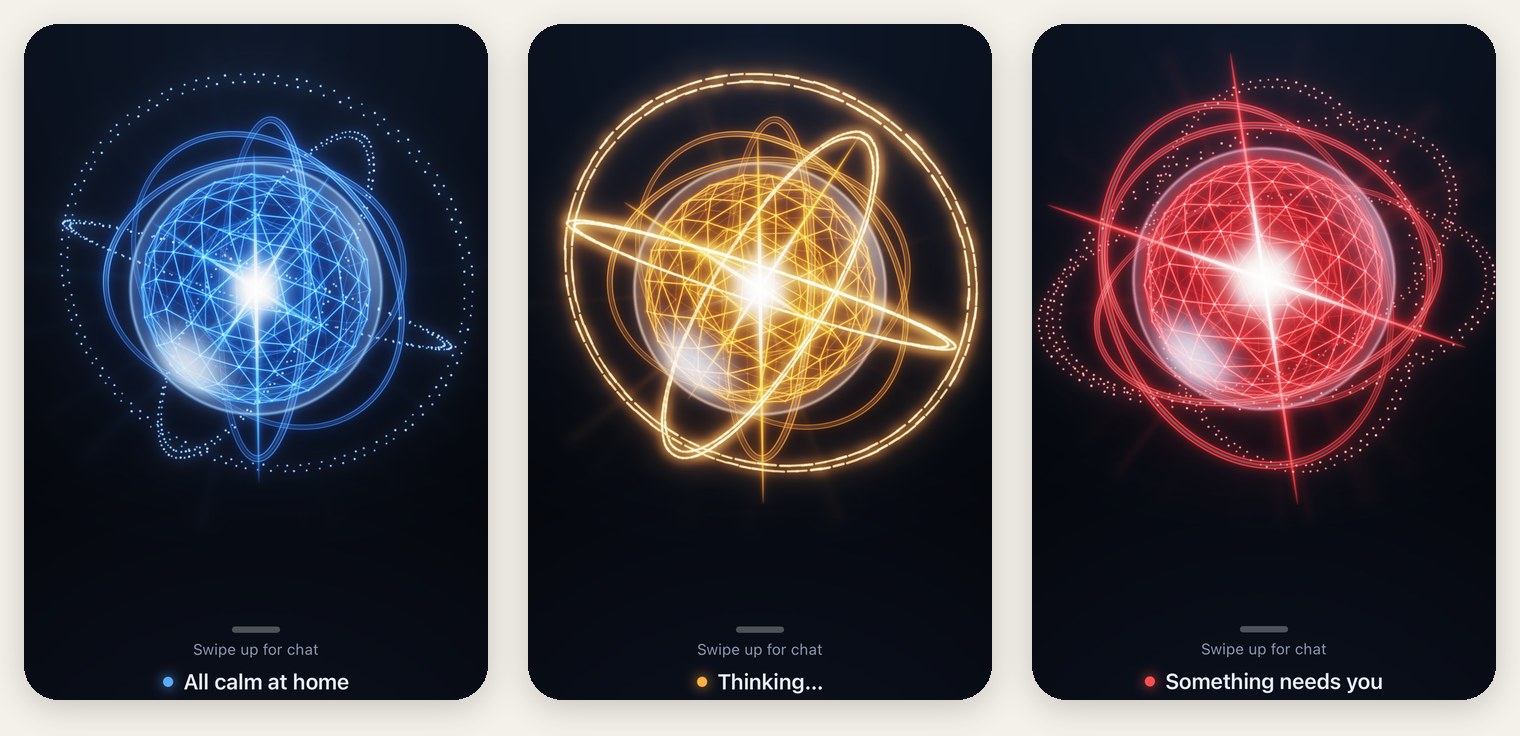
Current state
Jarvis has evolved from being an agent or application to being more of an agentic harness. For those that may not know, an agentic harness is the software around the LLM that shapes it into a goal-driven, working agent that a user can interact with and derive value from. Today, Jarvis handles the agent orchestration, model routing, usage gate, permissions, safety, memory and context, and communication. Claude Code, which is Anthropic’s harness, still handles things like the agent loop, tool execution, MCP connections, and prompt caching. I have also created protocols that help Jarvis learn from its mistakes and to be more effective at proactively identifying relevant ways to better serve our family.
To go one layer deeper, Jarvis’s efficiency, speed and accuracy come from a front desk + orchestration layer + execution layer model I designed. What makes this so effective is that I was able to reduce the burden on the front desk layer so that responses come much faster. Depending on the user’s questions, Jarvis can start its verbal response in a second or two. That’s a massive improvement over where I started (we were failing a goal of 30 seconds for the majority of responses) and lightning fast for a model that has to translate its response from text to speech. Jarvis also streams the audio instead of waiting for the entire audio packet to arrive which helps it start speaking earlier as well. The front desk also has a number of quick action tools at its disposal, which allow it to handle commonly asked requests without sending them to the orchestration layer.
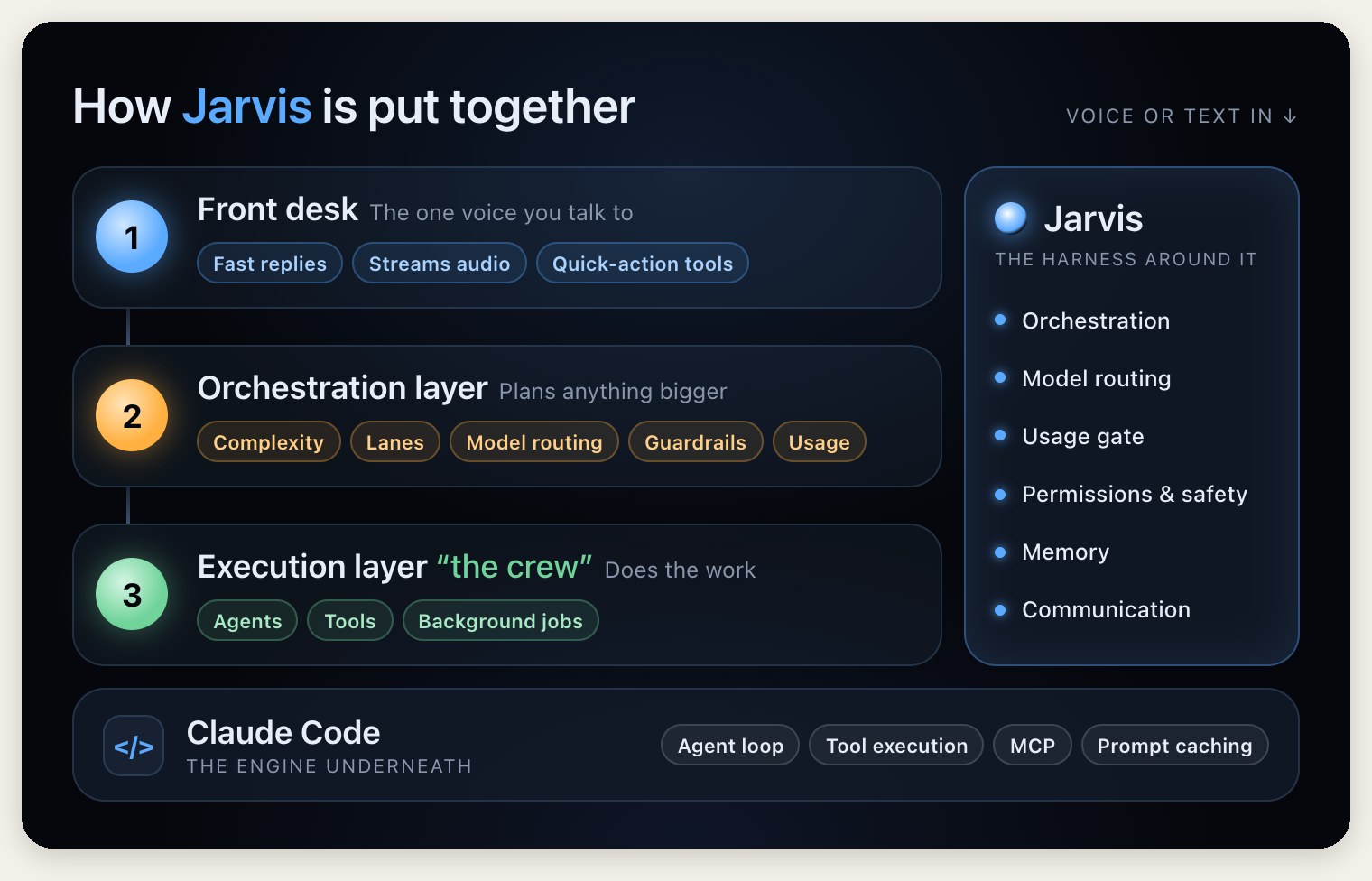
The orchestration layer manages all the requests that make it past the front desk. It handles assessing the request complexity, assigning it to the appropriate lane or queue, model routing, permissions and guardrails, consumption monitoring and optimization, among other tasks. The request then gets sent to the execution layer or ‘the crew’ as Jarvis calls it. The execution layer is a group of agents and tools. The orchestration layer breaks up the requests into smaller tasks and assigns them to the appropriate agent or tool to be completed. I created a multiple lane system that allows background jobs to run without impacting everyday use. The system works well for the way we use Jarvis.
We’re not in Kansas anymore
After HA, I wanted to see what other devices I could connect Jarvis with in our house. Our family calendar was fairly low hanging fruit. We have a Skylight calendar that was intended to be the source of truth for the family but it’s rarely up to date for a variety of reasons. I sent Jarvis to find a way to connect to the Skylight calendar and after a few minutes and a couple of steps, it was connected and able to control it. Now, Jarvis automatically updates the Skylight based on what it finds in our emails (after confirming with us), ensures there are no duplicates, color codes activities, and even manages the chore and grocery lists on the Skylight. Before Jarvis, the Skylight purchase was a waste of money and trending towards a device that would get thrown out. After Jarvis, it’s the family’s source of truth for our calendar, grocery list and kids’ chores, which is what we intended it to be in the first place.
The Skylight calendar helped me see the value Jarvis could deliver by being proactive (keep in mind I built Jarvis prior to the recent wave of always-on, proactive AI personal assistant agents like Meta Muse, Grok Bot, and others being released). Out of the box, Claude Code only works when you ask it to, and it stops when your laptop sleeps. To make Jarvis proactive, I moved it to a Mac Mini we weren’t using and I could set it to stay on all the time. I had Jarvis build Mac and iOS apps that enabled our other devices to communicate with its ‘brain’ located on the Mac Mini. After solving the ‘always-on’ requirement, Jarvis was able to set a trigger or schedule a ‘wake up’ time to proactively perform a task like reviewing our inbox, checking flight status, reviewing live traffic data to estimate when I should leave for the airport, evaluating trends and patterns in HA to recommend automations, share live updates on our budget goals, etc. Jarvis became a real AI personal assistant capable of handling tasks I needed it to do without requiring me to babysit it and it could bring my attention to things proactively. This marked the point I was fully bought into the value Jarvis delivered and I wanted more.
In for a penny, in for a pound
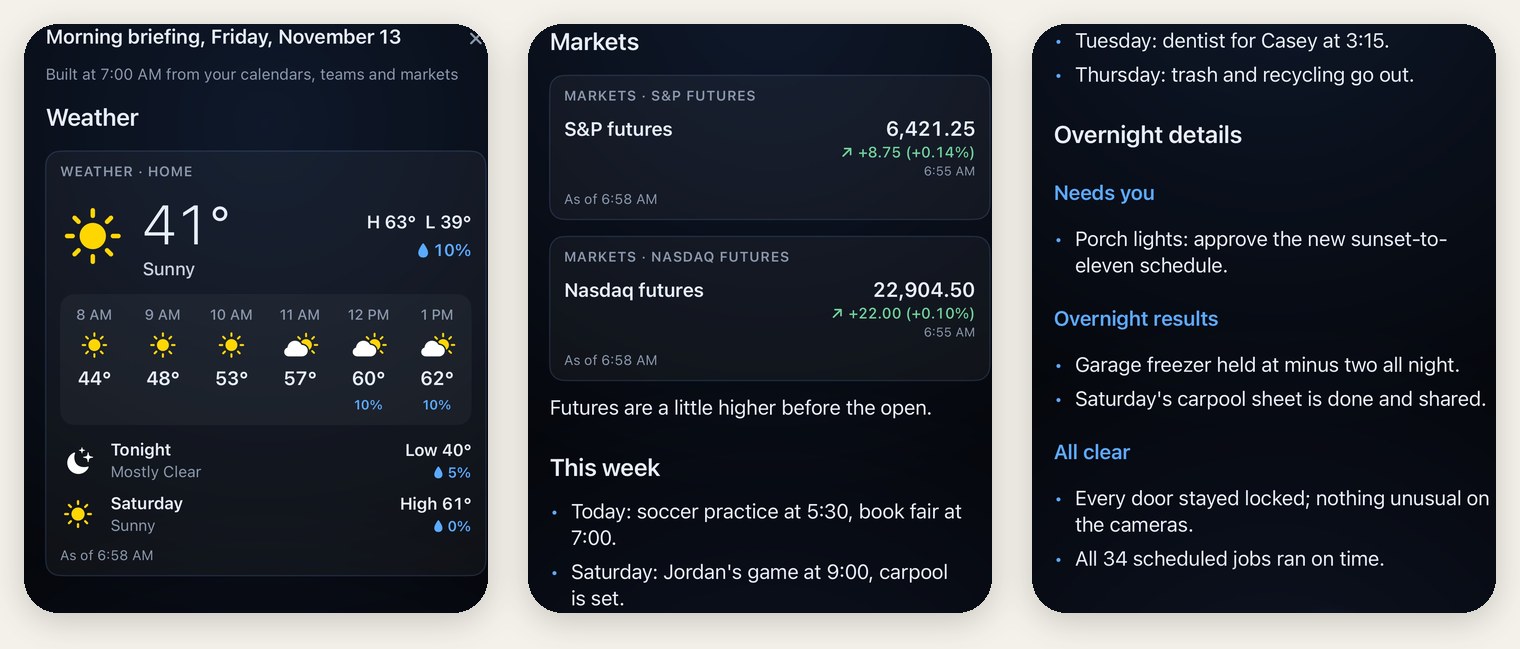
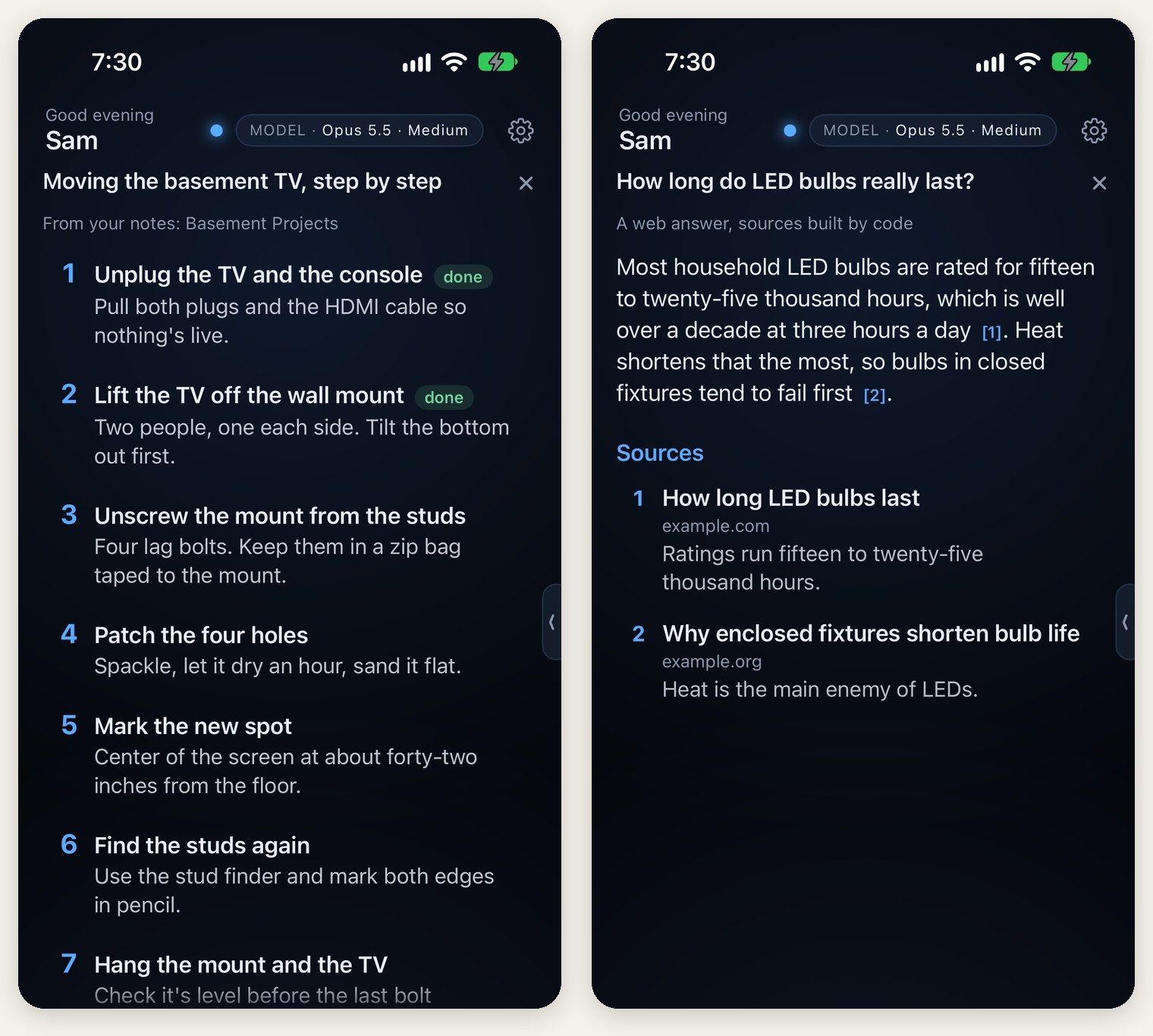
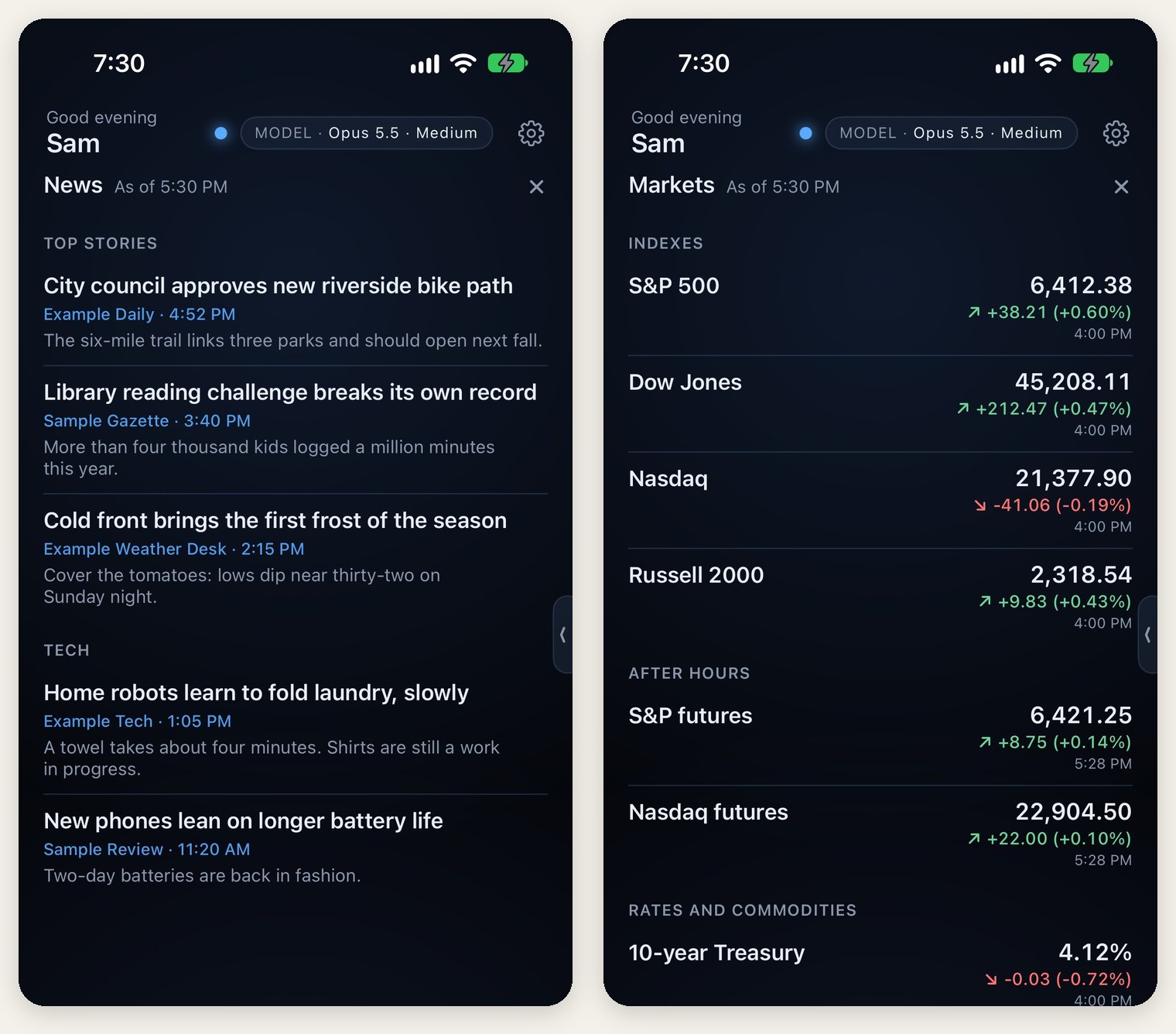
Having native apps to communicate with Jarvis is great but I quickly realized that communicating with Jarvis verbally has limitations. Especially when it comes to complex or multi-step tasks. I found myself asking Jarvis to put a set of steps or list it was describing on the screen but it couldn’t do that. Out of that frustration, I decided that I wanted Jarvis to have free rein over its environment. Jarvis should be able to put anything on the UI of its app that the user needs and it should be in full control of what and how it generates. At the same time, I’m frustrated by the number of apps I use each day. Basic things like the weather, news, sports, and stock market are all separate apps that I have to navigate. I decided to have Jarvis handle all of these for me. It pulls my local weather, news, sports, and stocks via public connectors and shows them within its app. It scrubs out ads and I’ve customized it to exactly what I want to see when I want to see it. If I want to see something different, I just have to ask Jarvis. It’s the simplest and fastest I’ve ever been able to customize an app.
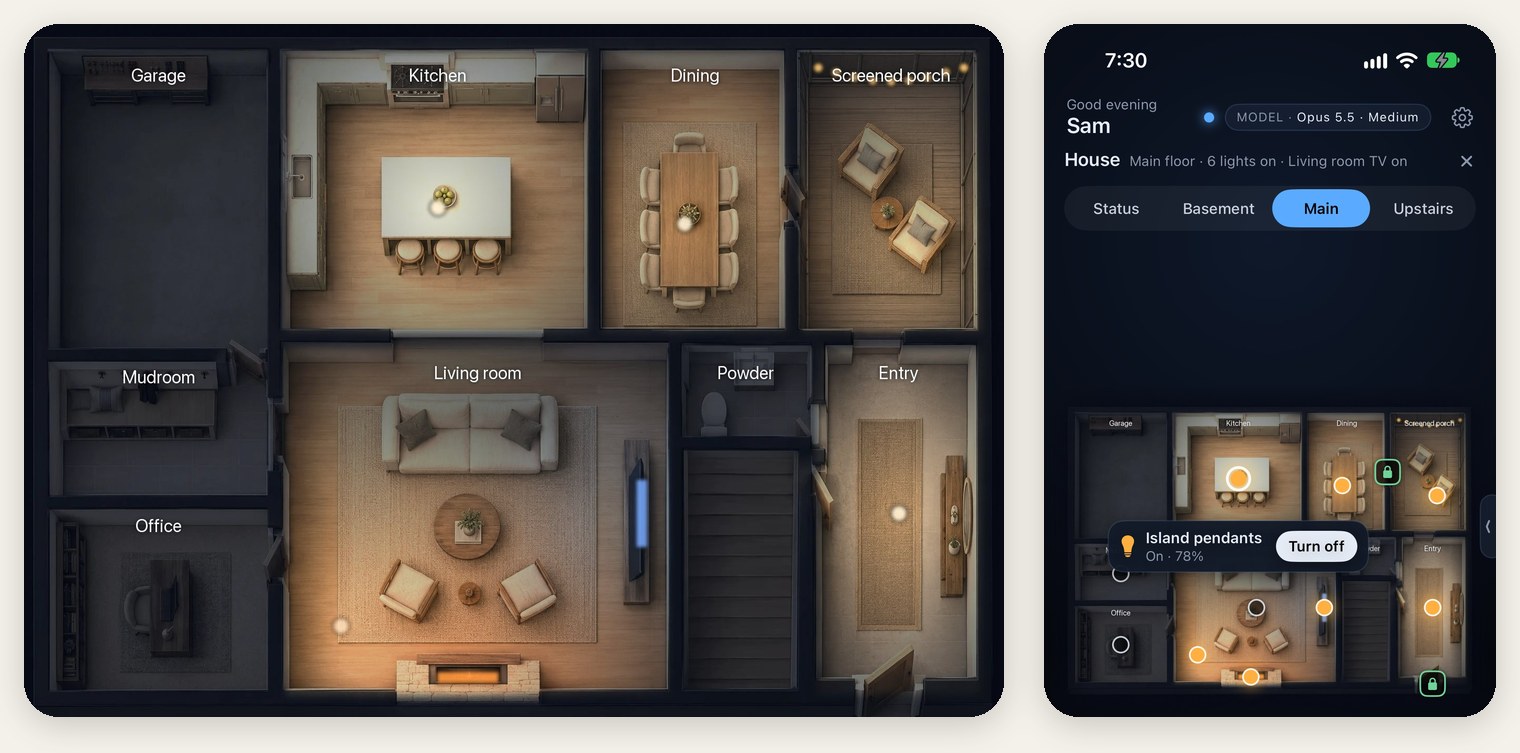
To create a better way to interact with our smart home devices I used my iPhone to take detailed 3D scans and shared the Gaussian splats with Jarvis to create detailed webp images of each floor. The devices we would want to control such as lights, TVs, thermostats, etc. are labeled, controllable and react in real time. Turn the TV on in the living room and it shows it’s on in the app. The same for lights around the house. Touch the cameras and a window with the live feed opens. There are day and night views, including the outside of our house to capture the permanent and holiday lights we have up for the season. Originally, I had plans to bring this to life even more but I’ve found that we don’t use it as much as I anticipated because it’s so much easier to ask Jarvis to handle it.
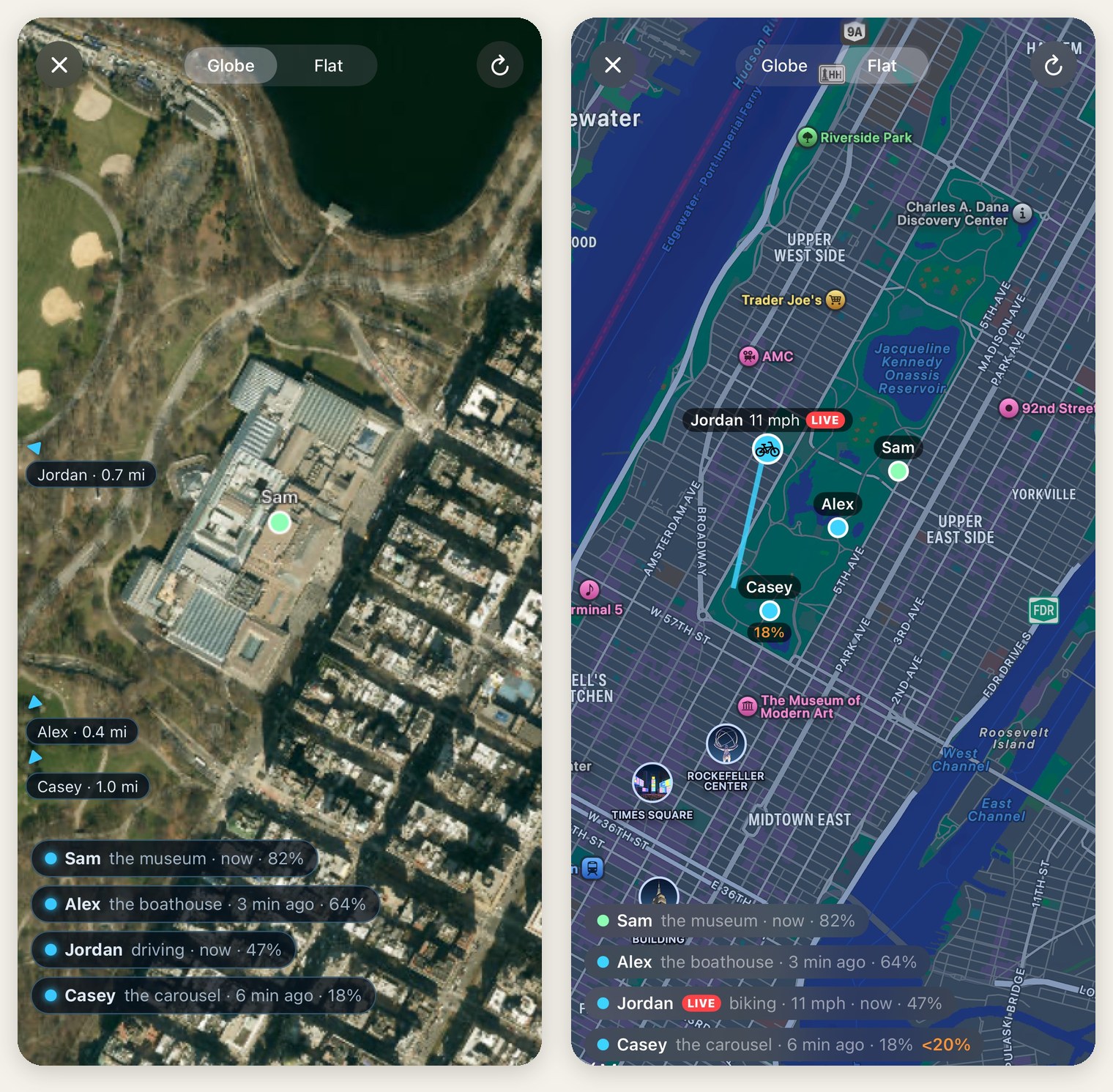
Like many families, we use Life360 and it does a great job of tracking each of our locations, and is especially helpful with a teenage son. And while the base free plan works, I wanted a solution that’s personalized to us and doesn’t constantly try to get me to upgrade to a paid plan or cover half the screen with ads. So, I had Jarvis build our own version. We’ve been able to add some really cool features by leveraging a photorealistic 3D globe view program that tracks real-time flights and traffic for free called God’s Eye View*. We’re able to customize the notifications and make them smarter by running them through the decision matrix included in the orchestration layer. For example, I don’t need a notification about a drive my family took if we’re all riding together. With Life360, I’d get multiple notifications in that scenario. Now, I get none. These are just a couple small examples of how the overall experience has improved and the massive pile of notifications my phone receives is just a little smaller these days.
Why not use an out of the box AI personal agent?
The big question many are likely asking, is Jarvis worth the effort and cost? The big AI players have released their OOTB personal agents, also referred to as ‘always on’ agents, like Meta Muse, OpenAI Dots, Grok Bot, and Claude Duet. Simply put, they weren’t released when I started Jarvis. With that said, most are single-person only agents that don’t come with the privacy and personalization that I’m able to get from Jarvis. Not only do I keep the memories and context local for Jarvis but all login keys are stored in a secure keychain stored locally as well. Jarvis is designed so it never directly handles passwords or API keys. Even the backup code that’s saved to a private GitHub repo goes through a multi-step scrubbing process to remove personal info before it’s pushed to the private repo. The point is that I get to decide the security steps I’m comfortable with, not a large enterprise.
Another key differentiator between Jarvis and the OOTB personal agents is customization and intended purpose. Jarvis isn’t just an application on top of Claude Code. Jarvis has been designed specifically for the purpose of being a family personal AI agent (could also work well for an individual). Many of the promoted features for OOTB agents are geared more towards small business owners, which makes sense from an ROI standpoint. Justifying the expense for a business is straightforward (I wish I could use something like Jarvis at work). However, for my purposes, it’s a square peg in a round hole.
I love how Jarvis is able to take mundane things off my plate, saving time and frustration. Jarvis has become a repository for all the random info that we accumulate as a family but don’t need very often, and it keeps that info stored locally. It keeps appliance model/serial numbers, warranty info, and what each breaker on my electric panel actually powers (they’re labeled by room/area but not all of them are clear and there isn’t room on the label to clarify). It helps manage our vehicle and homeowner’s insurance coverage, tracks health, fitness, finances, and more. Simply put, Jarvis makes adulting easier.
If you’re like me and have become fed up with app sprawl, it’s Jarvis to the rescue. It seems like everything these days has its own app, which includes giving out your email and/or phone at sign up. On top of one more app that does one thing, I now get more spam emails. Since building Jarvis, I’ve deleted or have plans to delete around a dozen apps. Some of which were paid services that we no longer need, others charged in the form of the ads they subjected us to. I will miss none of them. I get everything I need ad free and customized to my liking from Jarvis.
Downsides to DIY AI agents
I think I’ve gone on enough about the pros, let’s cover the cons as well. Without question, the biggest negative is the cost. I am currently on the $100/month Claude Max plan. While I have hopes that I can scale back to the Pro plan that’s $20/month ($17 if paid annually) once I finish building features and capabilities, I’ve yet to run out of ideas. Until I successfully switch to a lower cost tier, the cost is $100/month or $1,200 annually, which is a hard pill to swallow. The Apple developer license is another $99 annually, bringing the current cost of Jarvis to $1,300 per year. As I mentioned, Jarvis has eliminated some paid apps, which are hard cost savings. Those hard cost savings come close but don’t fully cover the annual costs of Jarvis. There are soft cost savings in the form of time savings but that’s too subjective to count here. You’ll also need a computer with good memory and processor. If we use the base Mac Mini as an example that’s another $899 one-time cost. No matter how it’s sliced, it’s expensive.
Another con is the time it takes to build this in the first place. I’ve put in significant time during my nights and weekends on this project. The first month or so, my wife was getting annoyed hearing me constantly talking to Jarvis while carrying my laptop around. However, Opus 5.5 and the front desk + orchestration layer + execution layer model have significantly reduced the time I spend on it lately. With that said, things still break, logins get stale, third party software changes, etc. and I have to switch from a user to support staff. I’ve been implementing ways to minimize these disruptions, which is working well so far, but it’s never going to be as simple as using a third party product. AI can build the features but it cannot replace the amount of knowledge and experience that goes into professional grade products. It takes time, effort and fixing a lot of mistakes to achieve a high level, polished experience.
The last con worth calling out is risk. Building an agent is easy but if you aren’t careful, it can backfire. I’ve heard stories where the AI model deleted entire projects and other stories where it deleted the entire hard drive. I’ve also heard stories of AI sharing very personal information publicly. Giving AI access and control to your computer and/or project comes with risks. Knowing what they are and the ways to mitigate those risks is important before sharing data with AI. There’s nobody to blame or sue if you’re the one that let it happen.
Is there more to do?
In short, yes. This weekend I’ve added a browser that Jarvis will drive live in the app. It was inspired by my two youngest kids searching for toys for their Christmas list. I got tired of watching them struggle with the iPad’s voice to text search options that don’t understand the context behind the request and who is making that request. Jarvis will be able to guide them safely through the internet, ensuring all results are safe and age appropriate, to find the toys they want and put them on a list for my wife and me. In early testing the feature functions great but the experience needs polishing. Anytime I add a major feature like this I have to build the context for Jarvis on why and when to use it for each user. I don’t want the user to have to ask Jarvis to open the in-app browser every time. Instead, I teach Jarvis how to know when to open it based on who is asking + the type of the request. AI has to provide more value to the user, otherwise it’s just another way to do the same thing.
Beyond that, there’s always something that comes up that I didn’t anticipate and needs to be addressed which is why we’re on version 3.25 (yes, 25 updates so far on version 3 alone before the in-app browser). My main goal for the future is to make Jarvis the OS so it’s able to make some of those corrections on its own. Jarvis can do a lot now but it can get to another level. Each user should be able to customize the Jarvis UI to their preferences without me getting involved. If a user wants a different color, different design, no orb, more buttons, a chat-like experience instead of a voice-driven experience, a different voice, etc., Jarvis should be able to easily make those changes on a per user basis.
As for the harness, I see even more room for improvement for Jarvis. I want to incorporate model swapability into the harness, especially for the front desk. Today, new models bring significant improvement and lower costs. That won’t continue forever. With Anthropic expected to go public this year and OpenAI next year, I want to put myself in position to be able to easily swap out models if the pressure to show a profit leads to price hikes.
Wrap it up, man
If you made it this far, thank you. This has been a really fun project and I’ve learned so much more than I expected. The value Jarvis provides our family also exceeds all expectations and we continue to find more ways to get value. Most importantly, Jarvis is used by my wife and kids. It wasn’t hard to get my kids on board. A talking AI assistant is cool. My wife, however, is what I’d call tech tolerant. She likes it if it’s easy and just works but she’d also be fine without it. Winning her over was big and it didn’t take as long as I expected. She was doing a light remodel of the half bath on the main floor and needed its measurements. I let her know that Jarvis had detailed measurements from the 3D scans but she wanted to do it herself. Within the hour she had Jarvis delivering messages to me on her behalf (not a feature I designed or thought about) because she gave in and asked Jarvis. She realized it was faster, more convenient and just as accurate to get the measurements from Jarvis. If I can win her over, the rest is gravy.
*God’s Eye View was released on GitHub by Bilawal Sidhu for free, you can access the repo here: https://github.com/bilawalsidhu/gods-eye-view